
QPost QID Tracking 2026 – Track Your Qatar ID Delivery Now
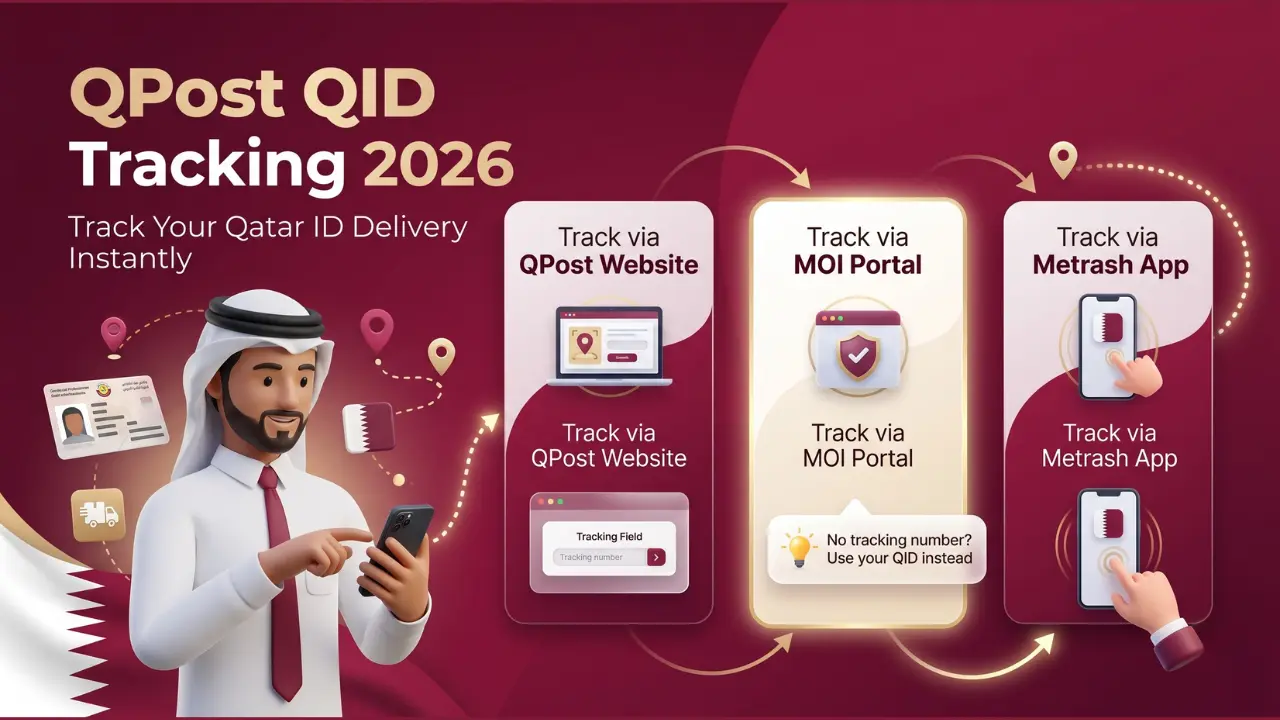
Once you apply for or renew your Qatar ID (QID), the final step is delivery. The Ministry of Interior (MOI) sends most QIDs through QPost, Qatar’s official postal service. If you’re waiting for your ID, it’s important to know how to use QPost QID Tracking to check the delivery status.
But before you track the delivery, make sure your QID is ready. Use this guide to check your QID status: MOI Qatar ID Check 2026
After confirming your ID is printed and dispatched, tracking it through QPost is your next step. This guide will help you learn how to track it, avoid common problems, and get your ID without delay.
Use the tracking tool above to check your QID delivery status instantly. It connects directly to the official MOI portal — no extra steps needed. For a full step-by-step guide, continue reading below.
Check Your QID Delivery Status
Connects directly to the official MOI portal — no extra steps needed.
Digits only, 6 to 20 characters.
Powered by idcheckqatar.com
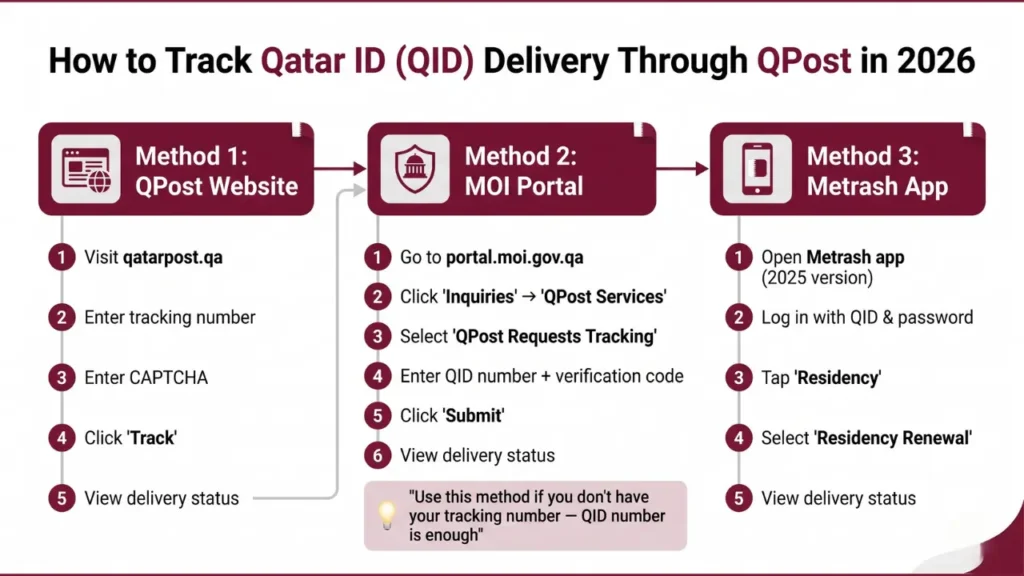
How to Track Qatar ID Delivery Through QPost in 2026
There are three ways to track your QID delivery. Use whichever is most convenient for you.
Method 1: QPost Website
- Visit the official QPost website at qatarpost.qa
- Enter your tracking number in the search bar
- Enter the CAPTCHA code
- Click “Track” to see your delivery status
Method 2: MOI Portal
- Go to the MOI portal at portal.moi.gov.qa
- Click on “Inquiries” then select “QPost Services”
- Click “QPost Requests Tracking”
- Enter your QID number and the verification code
- Click “Submit” to see your delivery status
💡 Tip: The MOI portal method is useful if you don’t have your QPost tracking number — your QID number is enough
Method 3: Metrash App
- Open the Metrash app on your phone (launched January 2025 — replaces the old Metrash2)
- Log in with your QID number and password
- Tap “Residency” from the home screen
- Select “Residency Renewal” to view your QID delivery status
Where to Find Your QPost Tracking Number
- SMS: QPost or MOI sends a tracking code via SMS once your ID is dispatched
- MOI Portal: Check your renewal service request for dispatch details
- Call QPost: Dial 104, provide your QID number, and ask for your tracking info
- Visit a branch: Go to your nearest QPost office in person
How Long Does QPost Take to Deliver a Qatar ID?
QPost delivers within 2 to 4 working days after receiving the ID from MOI. This has been consistent in 2026.
Delivery may take longer in rare cases due to:
- National holidays
- High application volumes
- Wrong address on MOI records(the most common real-world cause of delay — always double-check your address is correct in MOI before applying)
- Missed delivery attempts
⚠️ If your ID hasn’t arrived within 7 days, call QPost at 104 immediately. The card may have been returned to MOI.
Common Issues and Solutions
Problem | Solution |
|---|---|
Didn’t receive tracking number | Call QPost at 104 or visit a branch |
Tracking number not working | Wait 24 hours, then contact QPost |
Delivery attempted but failed | Call 104 to arrange re-delivery |
Wrong address on file | Visit the MOI service center to update your address |
Delivery is taking too long | Track online and follow up with QPost |
Card returned to MOI | Visit the nearest MOI service center with your passport |
FAQs – QPost QID Tracking
Final Thoughts
QPost QID Tracking is a must-know process for anyone waiting for their Qatar ID delivery. It helps you stay informed, avoid issues, and receive your ID on time. Use the official QPost website and your tracking number to get real-time updates.
And remember — if you haven’t checked your Qatar ID status yet, start here: https://idcheckqatar.com/
