
How to Check Qatar ID by Passport Number in 2026
Go to portal.moi.gov.qa → select Passport Number → enter your passport number and nationality → complete CAPTCHA → click Search. Your Qatar ID status appears in seconds.
If you do not have your QID number, you can still check your Qatar ID status online using your passport number. The process uses the same official MOI portal — the only difference is that you select “Passport Number” instead of “QID Number” on the search screen.
This method is most useful if you are:
- A new arrival still waiting for your Qatar ID to be issued
- Someone who lost their QID card and does not remember the number
- An expat checking their residency or travel ban status without their card
What You Need Before You Start
Before you begin, make sure you have:
- Your passport with you (you need the exact number as printed)
- Your nationality (must match the passport)
- A working internet browser — use Chrome or Firefox. Safari sometimes has CAPTCHA issues on the MOI portal.
Failing to register your number may result in missing critical updates that could affect your stay in Qatar.
Step-by-Step Guide to Check Qatar ID by Passport Number
Step 1: Go to the MOI portal
Open your browser and go to portal.moi.gov.qa. This is the official Ministry of Interior portal. Do not use any third-party websites.
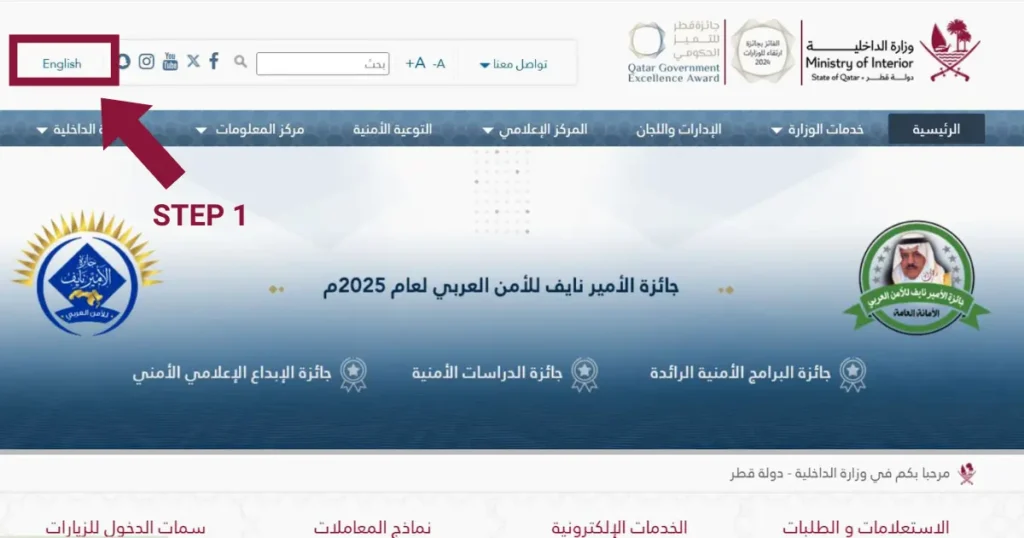
Step 2: Select your language
At the top of the page, choose English or Arabic. Select whichever you are comfortable reading.
Step 3: Go to the Official Documents inquiry
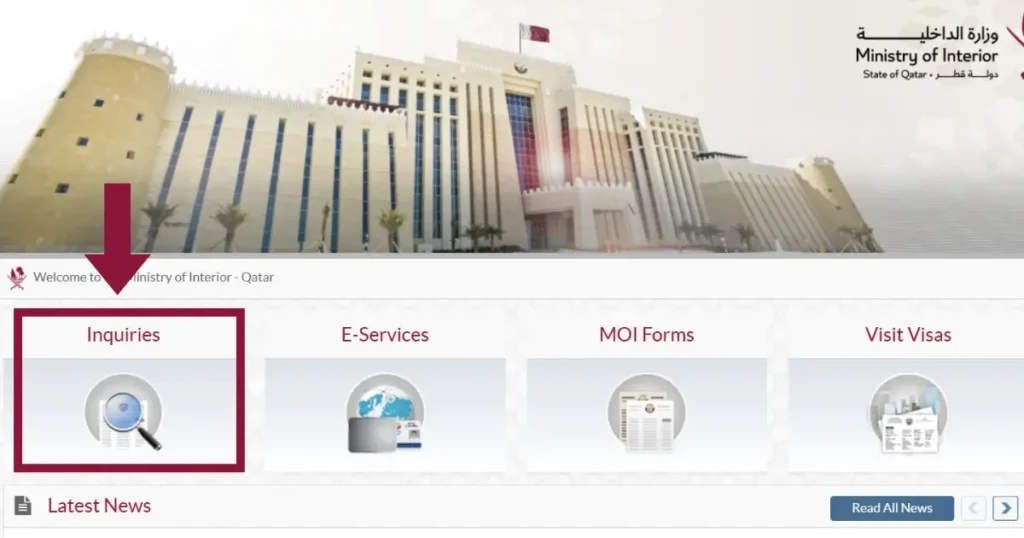
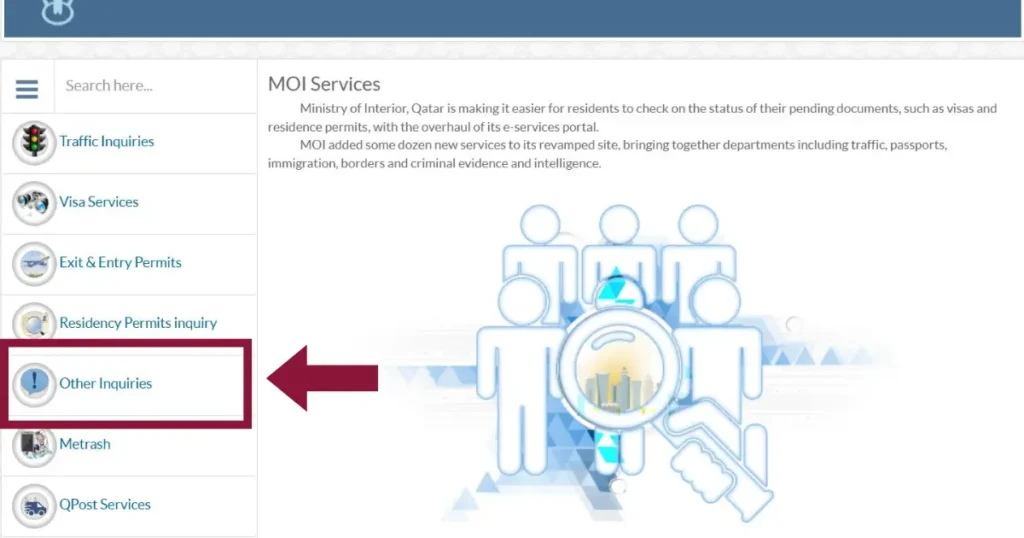
Click on Inquiries in the top menu, then select Other Inquiries, then click Official Documents. This opens the Qatar ID search screen.
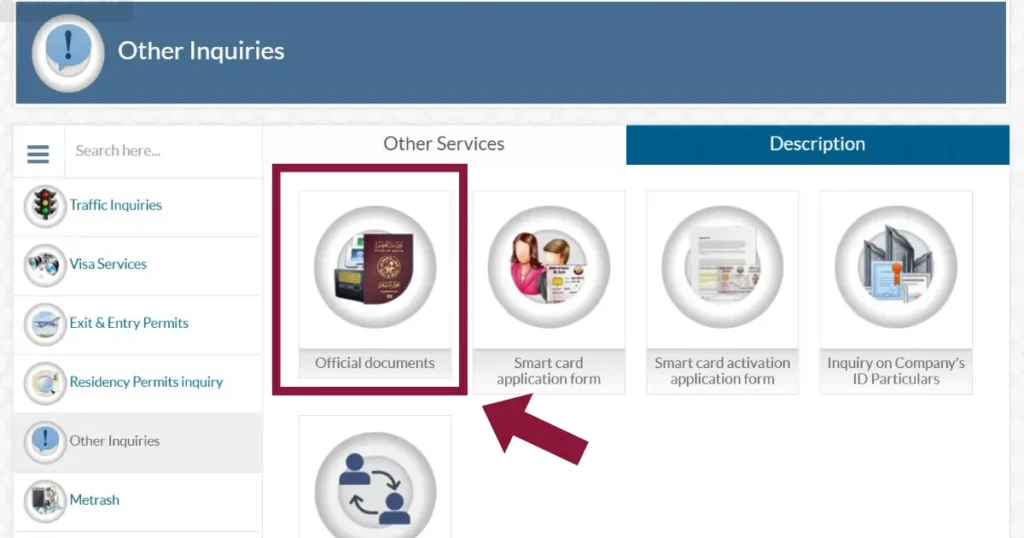
Step 4: Select “Passport Number”
On the search screen, you will see two options — QID Number and Passport Number. Click Passport Number to switch the input field.
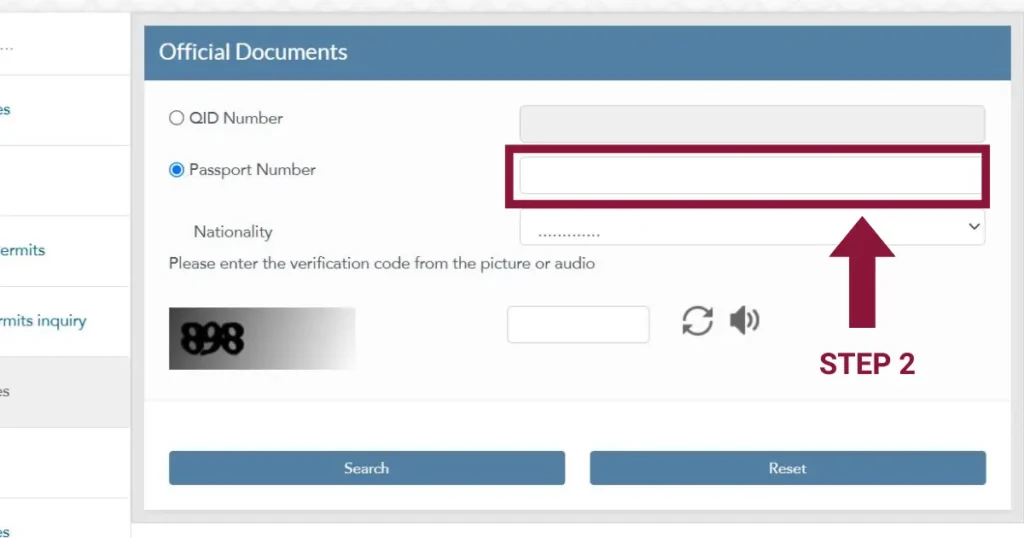
Step 5: Enter your passport number and nationality
Type your passport number exactly as it appears on your passport. No spaces, no special characters. Then select your nationality from the dropdown list. This must match the nationality on your passport exactly — a mismatch will return no results.
Step 6: Complete the CAPTCHA and search
Solve the CAPTCHA (the image verification box). Then click Search.
Real-world tip: The MOI portal is slow between 8–10 AM Qatar time. If it times out, try again after 10 AM or use the Metrash app instead.
What Will You See in the Results?
If your Qatar ID has been issued, the results will show:
- Your full name as registered with MOI
- Your QID number — save this for future use
- Your ID status — Valid, Expired, Blocked, or Under Process
- Your residency type and expiry date
If nothing appears, it does not always mean a problem. See the troubleshooting section below.
Common Problems and Quick Fixes
No record found
The most common reason is a typo in the passport number or selecting the wrong nationality. Clear the form, check your passport carefully, and try again. If your visa was approved recently, it can take 3–5 working days for your record to appear in the MOI system.
CAPTCHA not loading
Switch to Chrome or Firefox. Safari frequently has issues with the MOI portal CAPTCHA. Also try disabling any VPN if you are using one.
Portal showing an error or timing out
Try between 10 AM and 6 PM Qatar time. The portal experiences high traffic in the early morning. Alternatively, use the Metrash app — open the app, go to My Services, and check your ID status from there.
Wrong information showing
If the name, nationality, or status looks incorrect, do not try to fix it yourself online. Visit the nearest MOI Service Center or call the MOI helpline on 109.
Frequently Asked Questions
Also Check By QID Number
If you now have your QID number, the QID number method is faster and more reliable. Visit our MOI Qatar ID Check homepage for the full step-by-step guide using your QID number.
